

Payment Links are an amazing tool that helps you complete a sale while minimizing the churn to your clients since most things are prefilled for them. Overall, it simplifies the process since instead of going through an invoice or purchasing process, the client can simply click the link and pay without the need for extra steps
You can send the same Payment Link to different contacts while maintaining the personalization of each payment link. Minimizing the work for you and keeping the comfort and flexibility for your clients.
How to Use It?
Head over to the Payments Links Tab inside the Payments section.

You can click the three dots icon to edit an existing link or create a new payment link and click Save.


Click the Copy / Send Button this will open a pop-up window for you to copy the link or select contacts to send it to.

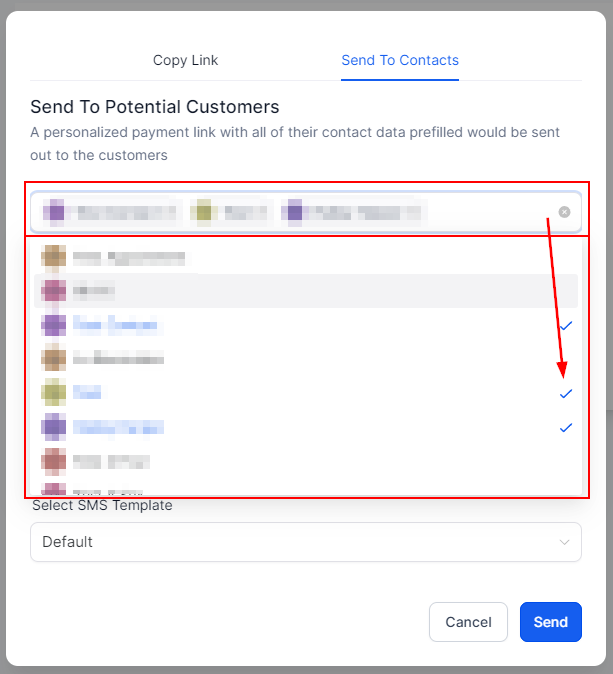
Click Send to Contacts, and choose the contacts you want to send it to.
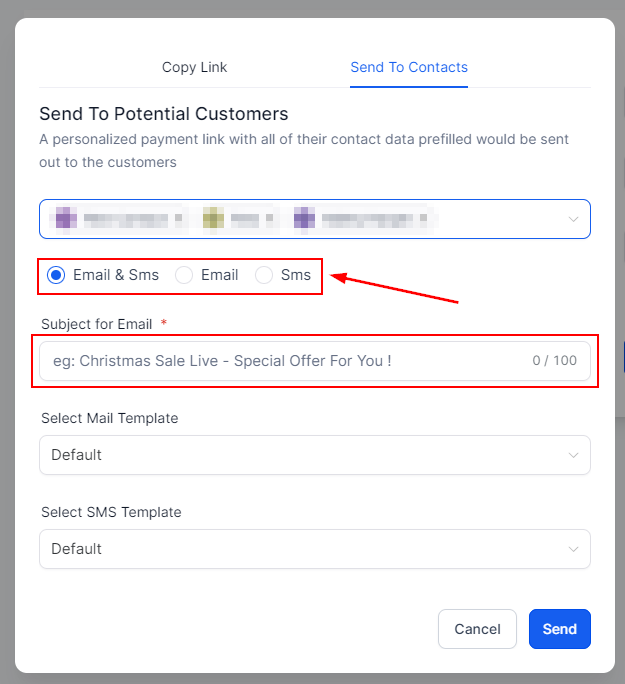
Select the channel(s) you will use to send it with. If you select Email set up a Subject for sending out.
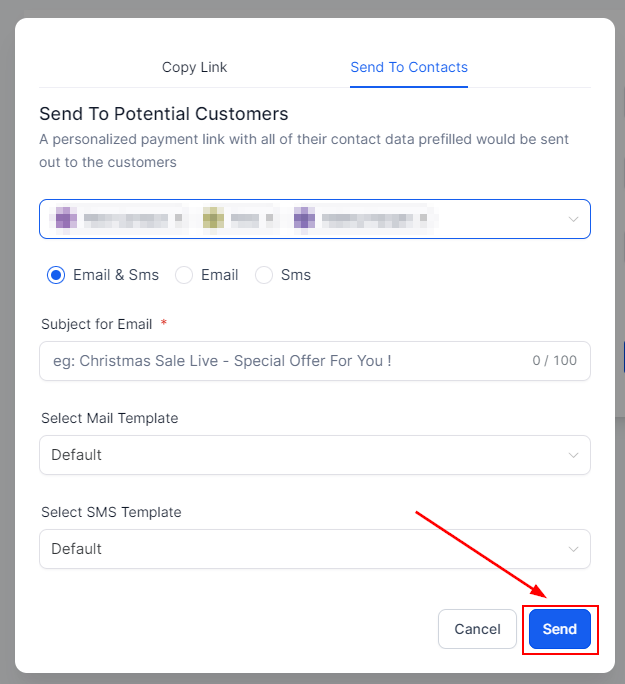
Once ready click send, this will send out a prefilled link for clients to complete the payment.
There you go! Now you can utilize this tool to its max and ensure the payment process for your business is easy, convenient, and flexible while not taking too many resources from you.
17/10/24 Ext