

How To Delete An Appointment
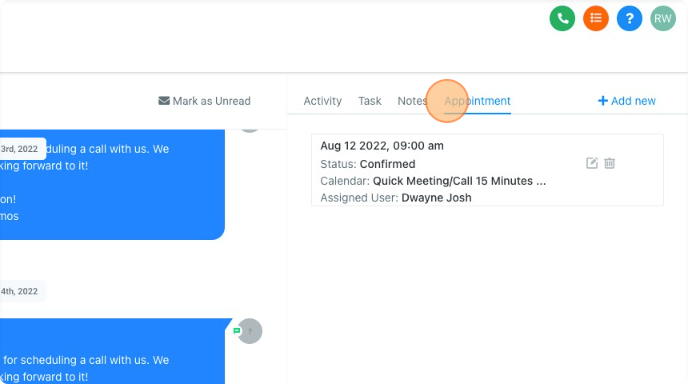
The "Appointment" section is a great way to see the upcoming and past appointments at a glance.
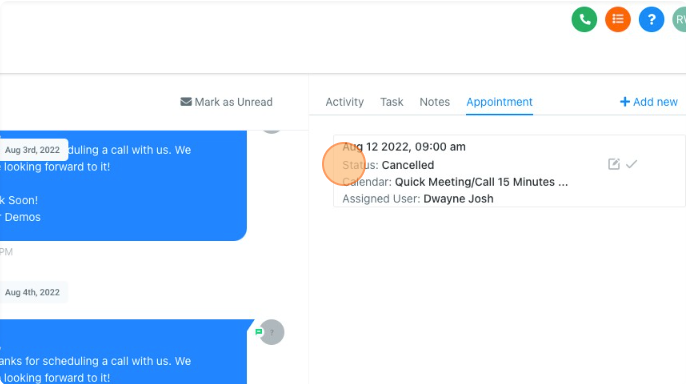
You can also see details about the appointments, such as:
Date and time of the appointment
Status of the appointment
Calendar the appointment was booked on
And the assigned user
Here's how to Delete an appointment:
Navigating To The Contact Details Tab - Appointment - Step 01
Click "Contacts"
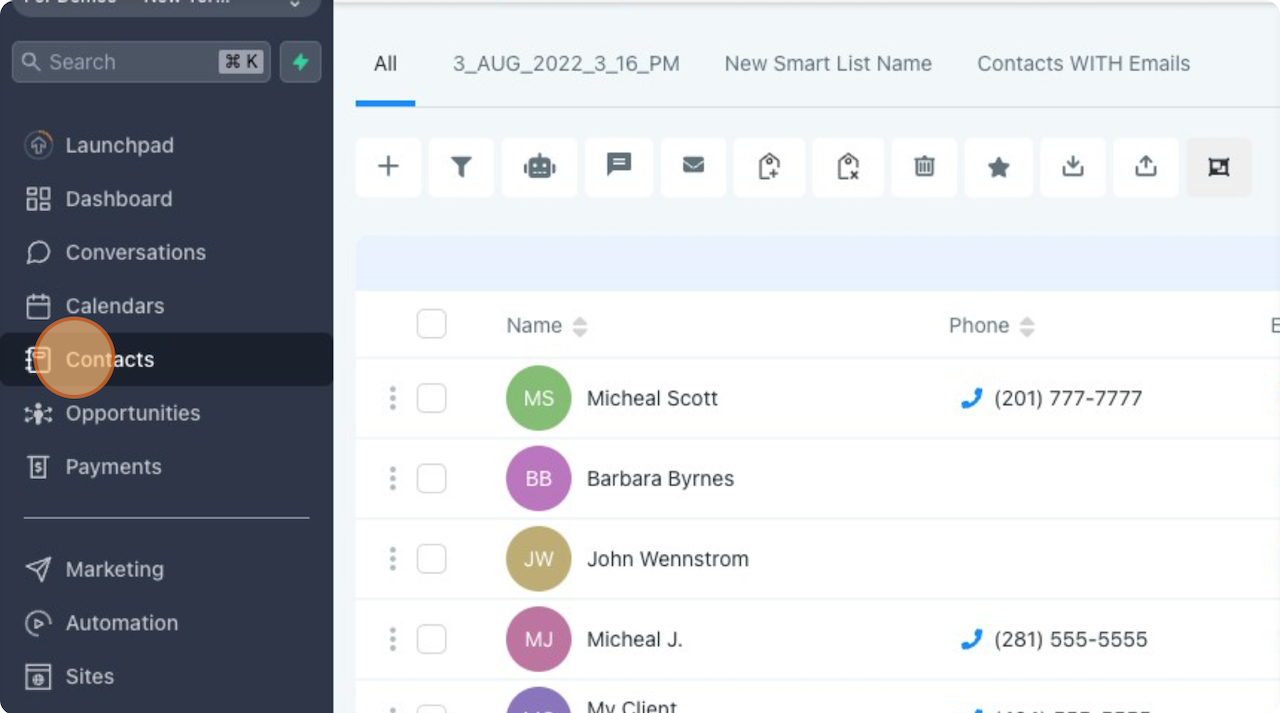
Navigating To The Contact Details Tab - Appointment - Step 02
Click the contact you wish to view.
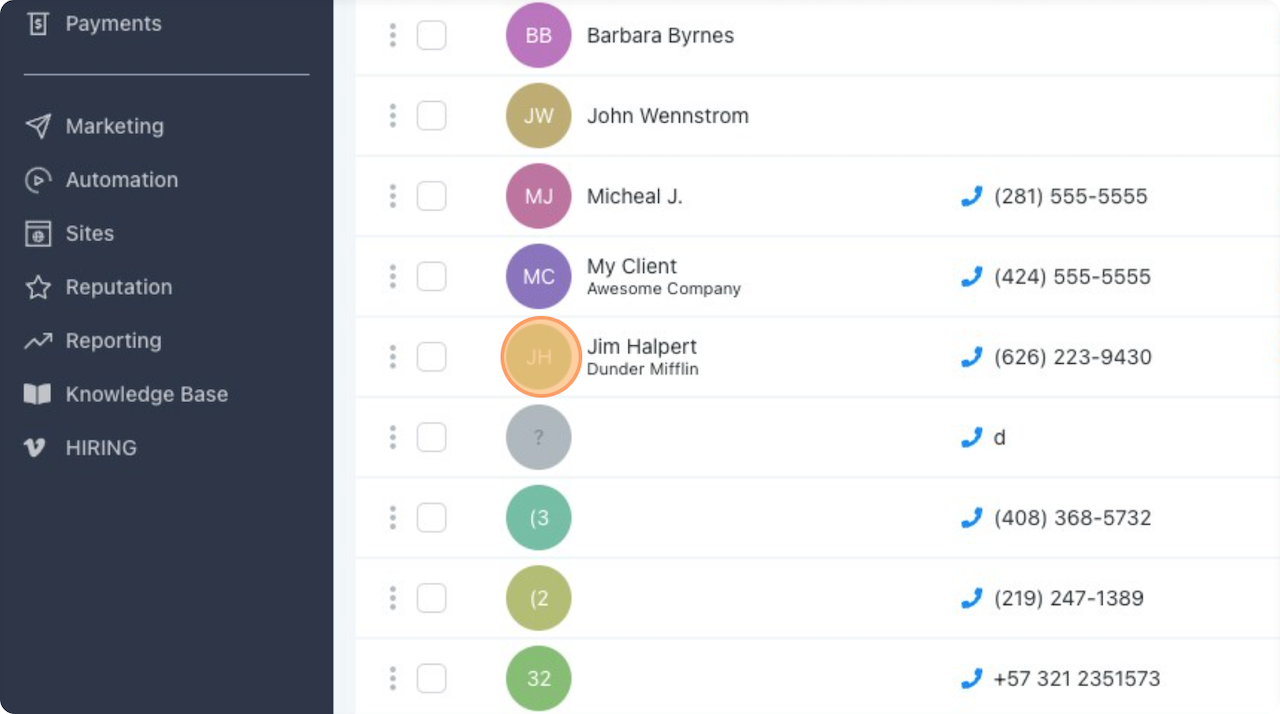
Navigating To The Contact Details Tab - Appointment - Step 03
Click "Appointment"
How To Delete An Appointment - Step 01
Click the delete "bin" icon here.
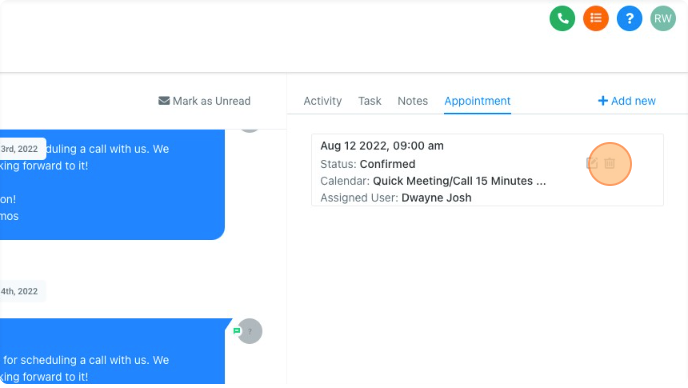
How To Delete An Appointment - Step 02
The Appointment Status should have been changed to "Cancelled", but will still appear under appointments.
10/2/24 Ext