

Calculations are a power tool; they give you an edge over the competition. They allow you to give estimates immediately, disqualify unfit candidates, and more. However, it can be time-consuming and complicated to deliver these results to your clients in real-time, and even worse, you may have to reconnect with a client who may have lost interest.
Using Calculations
By using Math Calculation in your Forms and Surveys, you can use logic and formulas to provide immediate results based on the data entered by your customers. This will help you impress your customers, reduce waiting times, and make your process more efficient.
Adding The Score Element
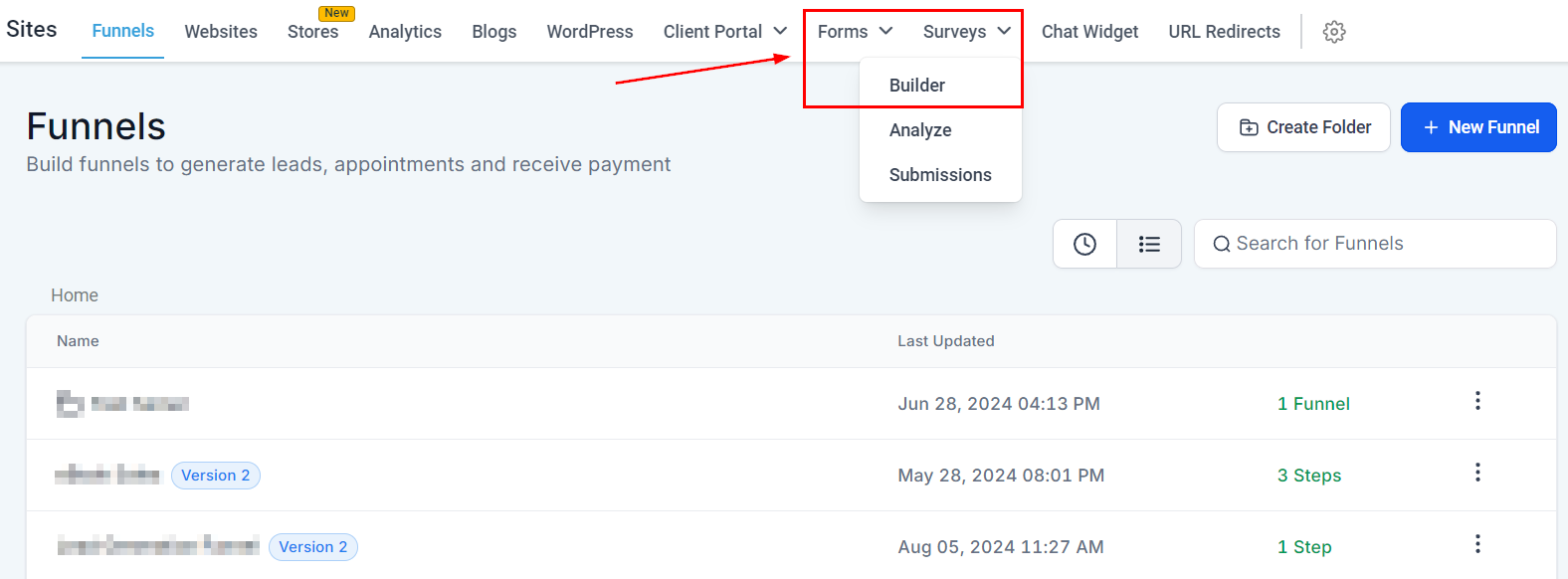
Navigate to the Form/Survey builder inside the Sites section.
Inside the Builder, click the plus sign button to open the elements and select the Score element.
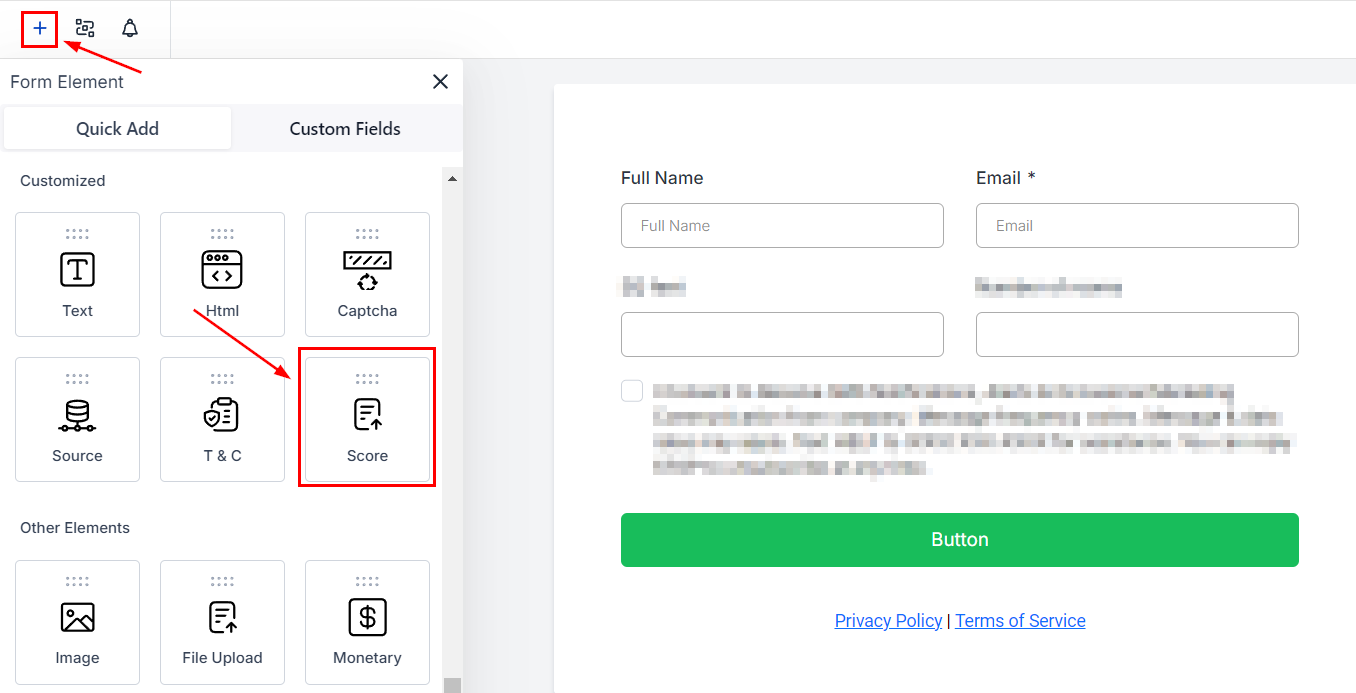
Drag and drop it into place and open the settings.

Switch to the Calculations tab to set the logic you want to follow.

Setting the Field Value
You can use this for numeric, monetary, and custom fields for Radio Select, Checkbox, Single Dropdown, and Multi Dropdown fields. To use these custom fields select them from the Quick Add menu.

Click on the added element and go to the Options section where you’ll toggle Enable Calculations.

Assign scores to each option in the Calculation Value section before adding the fields to your Calculation Logic.

Creating Calculation Logic
To set the formula the score element will follow, start by entering a number or field, selecting an operator, and entering a second number or field.

Click Save to keep the changes, then click Preview to see real-time calculations as data enters.

And there you go, you can offer real-time calculations directly from your forms and surveys.

Enhancing the experience for your clients and allowing you to streamline your process by removing the need for you to reach back to your clients with results.